
Free PowerShell tools for IT professionals
★ View all projects on GitHub
Free PowerShell tools for IT professionals
★ View all projects on GitHubIT Automator publishes free, open-source PowerShell tools designed to help IT professionals manage Microsoft 365, Intune, Entra ID, VMware, Meraki, and more — faster and with less manual effort.
All tools are available on GitHub. Download, run, and adapt them for your environment.
Browse GitHub →
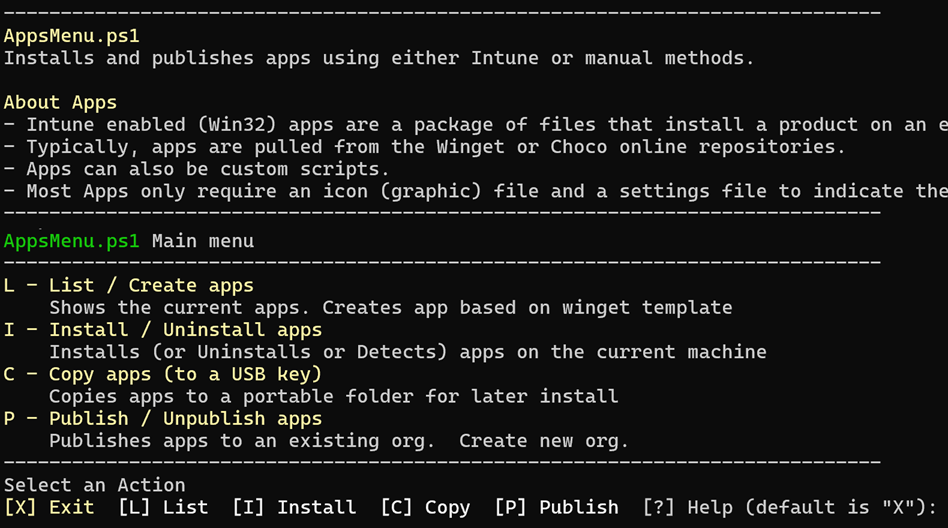
Create, package, and publish Windows applications to your Intune endpoints with a simple menu-driven tool. IntuneApp handles detection, install, uninstall, and requirements logic so you don't have to.
Bulk-adjust Microsoft 365 licenses for users via a simple CSV. Safe to run multiple times — already-licensed users are skipped.
View on GitHub →Manage Entra ID password expiration settings for your tenant and users. View, export, and update settings that have no UI in the Entra admin portal.
View on GitHub →Instantly display detailed information about a PC and the current user — hardware, OS, network, and more. Run as user (no admin required).
View on GitHub →Manage Cisco Meraki networks from PowerShell. Retrieve SSID reports, batch-update SSIDs via CSV, and manage DNS profiles across your org.
View on GitHub →Menu-driven PowerShell tool for managing VMware ESXi servers in smaller environments — no vCenter required.
View on GitHub →Report and update Microsoft Teams Room settings interactively from PowerShell. Quick, scriptable, and easy to read.
View on GitHub →For hybrid 365 environments — run on your Entra Connect server to verify and report on directory sync health.
View on GitHub →Generate clean PDF quotes directly from an Excel table. A lightweight quoting solution that needs no extra software.
View on GitHub →Sync a local folder with your GitHub repository using a simple script — no Git CLI knowledge required.
View on GitHub →